Window Effects
Overview#
You can apply background effects to windows and layer-shell surfaces.
These include blur, xray, saturation, and noise.
They can be enabled in the background-effect {} section of window or layer rules.
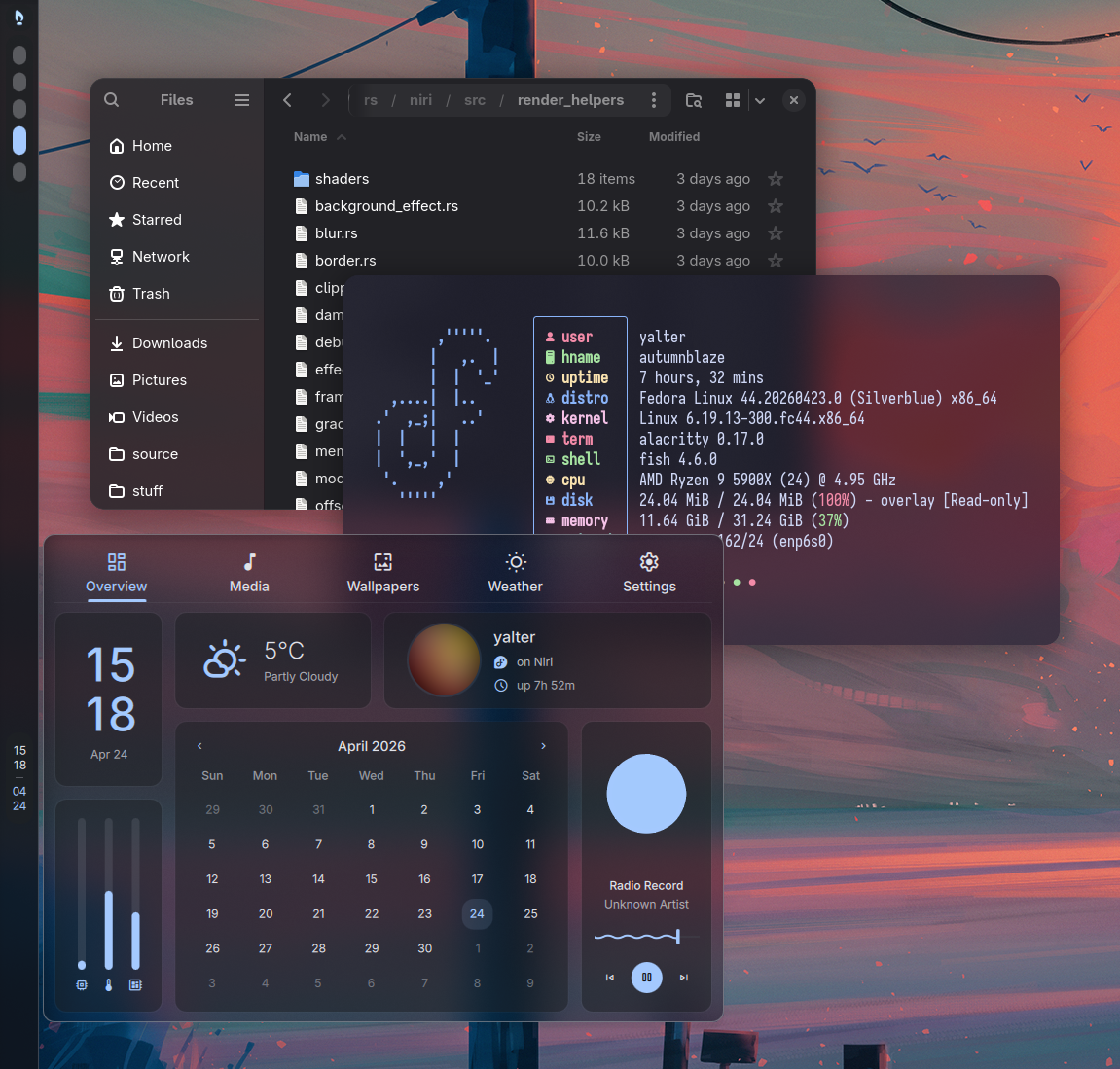
The window needs to be semitransparent for you to see the background effect (otherwise it's fully covered by the opaque window). Focus ring and border can also cover the background effect, see this FAQ entry for how to change this.
Blur#
Windows and layer surfaces can request their background to be blurred via the ext-background-effect protocol.
In this case, the application will usually offer some "background blur" setting that you'll need to enable in its configuration.
You can also enable blur on the niri side with the blur true background effect window rule:
// Enable blur behind the Alacritty terminal.
window-rule {
    match app-id="^Alacritty$"

    background-effect {
        blur true
    }
}

// Enable blur behind the fuzzel launcher.
layer-rule {
    match namespace="^launcher$"

    background-effect {
        blur true
    }
}
Blur enabled via the window rule will follow the window corner radius set via geometry-corner-radius.
On the other hand, blur enabled through ext-background-effect will exactly follow the shape requested by the window.
If the window or layer has clientside rounded corners or other complex shape, it should set a corresponding blur shape through ext-background-effect, then it will get correctly shaped background blur without any manual niri configuration.
Windows can also blur their pop-up menus using ext-background-effect.
On the niri side, you can do it with a popups block inside window-rule and layer-rule.
See those wiki pages for examples and limitations.
Global blur settings are configured in the blur {} config section and apply to all background blur.
Xray#
Xray makes the window background "see through" to your wallpaper, ignoring any other windows below.
You can enable it with xray true background effect window or layer rule.
Xray is automatically enabled by default if any other background effect (like blur) is active. This is because it's much more efficient: with xray active, niri only needs to blur the background once, and then can reuse this blurred version with no extra work (since the wallpaper changes very rarely).
If you have an animated wallpaper, xray will still have to recompute blur every frame, but that happens once and shared among all windows, rather than recomputed separately for each window.
Non-xray effects (experimental)#
You can disable xray with xray false background effect window rule.
This gives you the normal kind of blur where everything below a window is blurred.
Keep in mind that non-xray blur and other non-xray effects are more expensive as niri has to recompute them any time you move the window, or the contents underneath change.
Warning
Non-xray effects are currently experimental because they have some known limitations.
- They disappear during window open/close animations and while dragging a tiled window. Fixing this requires a refactor to the niri rendering code to defer offscreen rendering, and possibly other refactors.
Implementation notes#
The ext-background-effect protocol supports any wl_surface.
We currently implement it only for toplevels, layer surfaces, and pop-ups, which should cover the vast majority of what's actually used by applications.
For pop-ups, effects default to non-xray because pop-ups generally appear on top of windows.
In particular, the following surface types don't support ext-background-effect.
They can be implemented as the need arises.
- Subsurfaces. Would require implementing
clip-to-geometrysupport for background effects. - Lock surfaces. Not useful as it would just show our red locked session background.
- Cursor and drag-and-drop icon. The main challenge here will be screencasts where the cursor is rendered separately. This is problematic because non-xray effects require rendering the whole scene in one go rather than separately.